31 ways to make sure no customer story falls through
Klaros is a zero-markup, self-deployed WhatsApp Business CRM. Get full data ownership, integrated automation, and a direct connection to Meta's Cloud API.
Every feature exists to answer one question: did we remember what matters to this person? Build on top with the full REST API, or use the dashboard. Click any card for details. When one of these breaks, we write down what happened: see the build notes.
Messaging & inbox
14 featuresCategorized inbox
Conversations partitioned the way outreach actually works: Interactive (two-way) · Inbound (unanswered) · Outbound (broadcasts), with smart sub-groups and endless scroll.
- Three tabs derived from real message flow. A reply moves the conversation automatically
- Smart sections: Window closing soon · Your turn · Their turn · Waiting 6h+
- Name AND number on every row + thread. Always know who, on which line
- Search matches message content, not just names and numbers
- Keyboard flow: ↑/↓ through the list, Enter opens, Esc back, "/" to search
- Thread history with day separators + "new since you last looked" divider
- Live 24h window indicator that auto-switches to template mode
- Quote-reply, reactions, media viewer, read receipts, typing indicator
- Auto-growing composer with per-thread draft memory
Team assignment + auto-routing
Assign conversations manually or let the system route them. Round-robin, least-busy, or sticky re-assignment with skill-based filtering.
- Multi-agent seats with individual login
- Admin / agent roles with per-agent API keys
- Claim or assign conversations manually, or enable auto-assignment
- Three routing strategies: round-robin, least-busy, sticky re-assignment
- Skill-based filtering: tag agents with skills, route matching conversations
- Capacity caps per agent. Agents at capacity are skipped automatically
- Per-agent line grants: control who sees which number
- Workspace-level routing config in Settings
Broadcasts & campaigns
Template sends to segments. Delivery funnel, scheduling, pre-send cost estimate.
- Composable audiences: segments, lists, groups, or all opted-in
- Live WhatsApp-bubble preview before sending
- Delivery funnel: sent → delivered → read → replied
- Pre-send cost estimate using 90-day rate history
- Rate-limit-aware retry. Meta throttling backs off, never permanently fails
- Delivery-stage failures recorded with Meta's reason, auto-retried on a stagger
- Consent-checked at send time
Broadcast truth & retry
Every broadcast lives in the inbox as a collapsible group: who got it, who ignored it, who Meta blocked and why, with retry built in.
- One collapsible group per broadcast: sent · replied · failed · awaiting reply
- Failure reasons in plain language: marketing-limit caps, unreachable numbers, holdouts
- One-click "Retry failed". Every consent/budget/window check runs again per contact
- Automatic staggered retry for capped sends: spaced attempts over hours, capped at 3
- Expand any broadcast to see exactly which contacts haven't replied, and message them
- A contact two broadcasts reached appears under both. No data hidden by attribution
Inbox productivity
Canned replies with "/" insert, conversation labels, internal notes, resolve/reopen. The operator toolkit, live.
- Canned replies: type "/" in the composer, arrow-key pick, team-shared library
- Conversation labels with color coding + label-filtered inbox views
- Internal notes on any thread. Never sent to the customer
- Resolve / reopen with bulk-resolve; resolved threads reopen on reply
- Assign and rename via inline popovers. No clunky dialogs
- Contact detail panel alongside the thread: identity, badges, lead stage, notes, linked numbers
Template builder
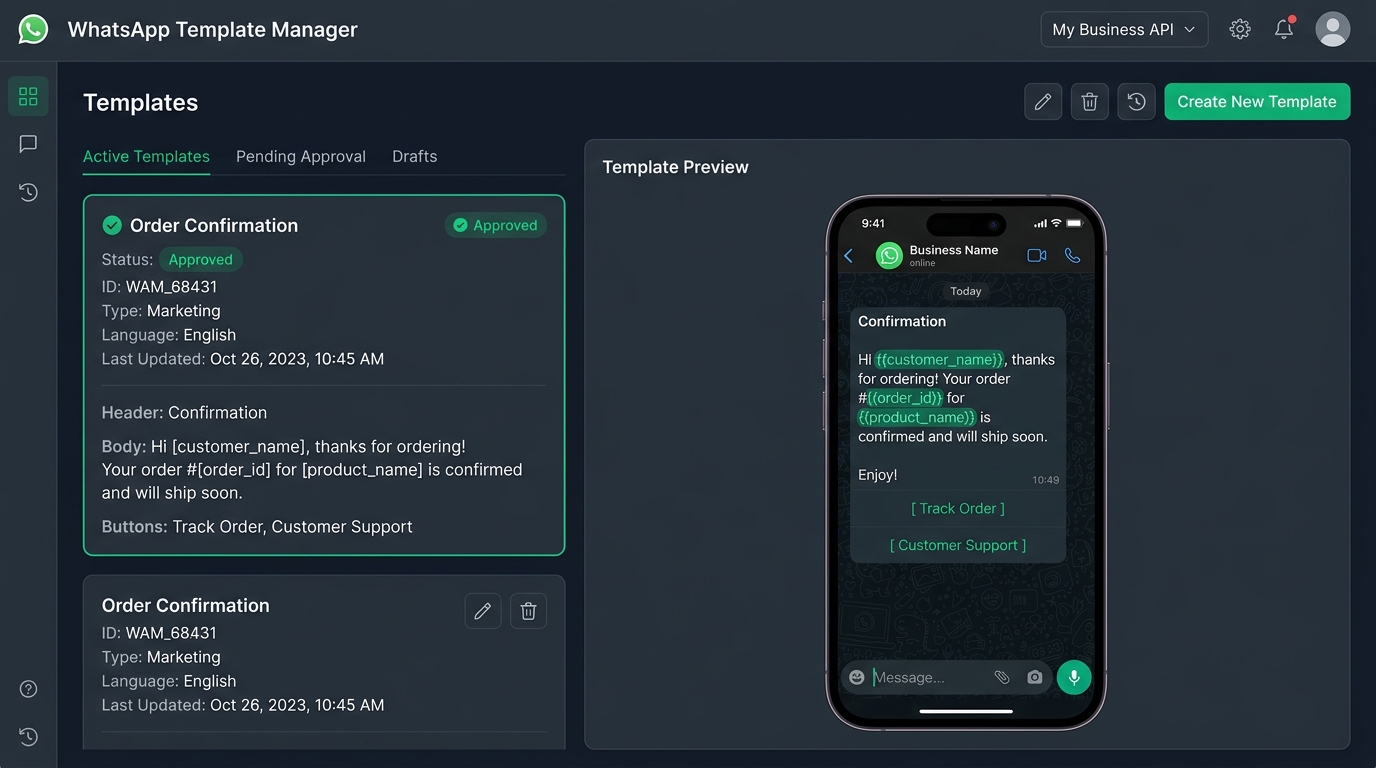
Create, edit, submit for Meta approval. Track status live via webhooks.
- Rich templates: header media, body variables, buttons
- Edit & resubmit approved templates. Live version keeps sending during re-review
- Media library reuse for headers: pick from existing uploads, skip re-upload
- Approval status tracking in real time via Meta webhooks
- Reuse across campaigns
Books the meeting instead of promising one
Someone asking to talk gets three tappable times, not “we’ll be in touch”. The moment they decided is the moment you answer.
- Up to three times, shown in the customer’s own timezone so nobody does the arithmetic
- Skips anything already booked and your weekends, so it never offers a slot you cannot keep
- Their tap books it. Nothing reaches a calendar because software decided it should
- If the diary is genuinely full it hands the thread to a person rather than proposing a clash
Shows things, not just descriptions of things
“What do you sell?” returns the actual card with the photo and today’s price, read from your catalogue as it sends.
- Prices come from your rows at send time, so it cannot quote a figure you changed last week
- One thing per reply, never a menu. What moves a conversation is a single next step
- It chooses which of your existing things to send. It never writes the contents of one
- A card it cannot build falls back to words rather than sending an empty list
Knows when to stay quiet
If one of your team has the conversation, the assistant says nothing. Nobody gets talked over in front of a customer.
- A thread somebody has claimed is theirs until they release it. No timer overrides a person
- If a colleague answered in the last two hours, the customer is replying to them, not to us
- Three messages in twenty seconds is one thought, and gets one considered reply
- Staying out of the way is recorded separately from being unable to answer, so your review queue tells you which is which
You decide what it may do, and for whom
Every action the assistant can take, listed on one screen with an off switch and a choice of who is allowed to ask.
- Anyone, Team only, or Customers only, per command, changed in one click
- Team means a colleague whose WhatsApp number is on their profile, verified by Meta rather than claimed by the sender
- A staff-only command is invisible to everybody else, so nobody reaches one by guessing the right sentence
- One screen also shows what it can explain but not do, so you find the gap before a customer does
AI reply assist
One-click "suggest reply" grounded in the thread. Never auto-sent.
- Draft appears in composer. Agent decides to send or edit
- Uses your own AI key (Claude)
- Optional, off by default. No AI without your consent
AI auto-reply
Answers customers on its own, but only from facts you've told it. Won't improvise your pricing or policies.
- Only answers from facts you've told it. Won't invent your pricing, policies, or promises
- Runs on a schedule you set, independent of your away hours
- A keyword or greeting rule you've already written always outranks it
- Off by default at the deployment level. Opt in per workspace, no code change needed
Two-way translation
Auto-detects any language on inbound, translates your reply into the customer's language on the way out.
- No language list to configure, it detects whatever the customer actually writes in
- Shown as a secondary line under each message. The original text is never replaced
- Applies to plain-text sends both directions; templates and media are never auto-translated
- Off by default per workspace, one toggle in Settings
Real-time inbox (WebSocket)
New messages, status updates, and typing indicators arrive instantly via WebSocket. No polling, no refresh button.
- Per-workspace WebSocket hub via Cloudflare Durable Objects
- Inbound messages, delivery/read receipts, and typing signals pushed live
- Automatic reconnect with exponential backoff
- Graceful fallback to 30-second polling if WebSocket is unavailable
- Multi-agent: every agent on the workspace sees updates the instant they happen
Contact detail panel
Identity, consent badges, lead stage, notes, and linked numbers alongside the thread. Context without leaving the conversation.
- Right-pane panel: toggle open alongside any conversation thread
- Identity header with avatar, name, phone, and source badges (known, consent, business)
- Editable lead stage dropdown with instant save
- Internal notes with timestamps and author attribution
- Linked numbers: see other WhatsApp numbers belonging to the same person
- Contact details: company, industry, team size, score, use case
- Responsive: collapses to overlay on narrow screens
Multi-number support
Multiple WhatsApp lines in one workspace. Per-line inbox, per-line send.
- Connect unlimited numbers under one deployment
- Friendly display-name labels per number
- Choose send-from line in UI or via API
- Per-number cost + quality visibility
Auto-replies & keyword triggers
Greeting, away, keyword-based responses. Consent opt-in/opt-out flows.
- Greeting + away auto-messages
- Keyword-triggered template sends
- Welcome message, ice-breakers, persistent menu commands
- Built-in opt-in / opt-out consent capture with payload-based detection
WhatsApp Flows
Create, publish, and manage Meta's native in-chat forms (surveys, booking, lead qualification) from the dashboard.
- Full Flows lifecycle: create, publish, deprecate, delete
- 10 pre-built flows included: appointment booking, lead qualification, feedback survey, order tracking, and more
- In-app preview before publishing
- Flow response data captured in message thread as structured metadata
Drip sequences
Time-based message sequences with pause-on-reply. Enroll contacts or segments, consent-checked at every step.
- Multi-step sequences with configurable delays (hours/days)
- Auto-pause on reply. Never message someone mid-conversation
- Segment or individual enrollment with deduplication
- Consent verified at every step, not just enrollment
- Sequence analytics: enrolled, completed, paused, unenrolled
CTWA ad attribution
Click-to-WhatsApp ad tracking: captures ad source, campaign ID, and headline. Shows "From ad" context chip in every thread.
- Referral capture on inbound: ad campaign, source URL, headline
- "From ad" context chip visible in conversation thread
- CTWA conversations attributed in cost dashboard
- Works with Meta's Click-to-WhatsApp ad format
Products & catalogue
7 featuresOne price rule, storefront and thread
The number published to your catalogue and the number a customer is quoted on WhatsApp come from the same function. Not two checks that agree — one check, read twice.
priceEligibility()is the single place that decides whether a price may be shown at all- The Meta catalogue mapper and the in-chat product card both read it, so they cannot drift apart
- A rate-linked price older than 36 hours is withheld from the storefront rather than published stale
- The same piece answers in chat as “at today’s gold rate” instead of quoting a wrong figure
- 36 hours because the reprice runs nightly: tolerates exactly one missed run, never two
- Three price classes, each with different publishing consequences: fixed, rate-linked, made-to-order
- Made-to-order pieces are never published and never sit in a retry queue looking like a backlog
Priced by weight, not by hand
Gold and silver priced from what a piece is made of. Set the morning rate once and every piece reprices: in the catalogue, on the WhatsApp storefront and in chat.
- Rate per gram per purity: 22K is its own quoted number, not 24K scaled by a fraction. A stock list that says 916 is priced from 22K once the shop says so, not from a second rate typed every morning
- Making charge per gram, as a percentage or flat, with an optional minimum (“12% or ₹500, whichever is higher”)
- Stones line by line, as the bill prints them: carats times rate per carat, or a fixed amount, for each kind and quality
- Imports the stock list as it is: Net Wt, MC/gm, VA %, Dia Wt and Dia Amt read by name; a gross weight on a stone-set piece has the stones taken out when their carats are given
- One row per tag, grouped into designs; a gold piece of 2 g or more is held back until its BIS HUID is recorded
- GST at 3% for jewellery by default, set once for the workspace; the hallmarking charge as its own line when the shop passes it on
- Setting a rate reprices at once and sends the new prices to the WhatsApp catalogue; a nightly sweep catches the rest and reports what it skipped and why
- A half-filled making charge, or a stone with carats and no rate, is refused rather than priced as zero
- “What is today’s gold rate?” answered in chat from the shop’s own board, with yesterday’s and the day before
- Sold as the Jewellery extension; building the catalogue itself is never gated. More for jewellers
Import the spreadsheet you already have
.xlsx, .xls or .csv opened as it is. Columns matched by name, confirmed by you, with a dry run over the whole file before anything is written.
- Excel workbooks read directly — no converting to CSV first
- Columns matched by name against a generous alias list, so an export from any ERP works
- Suggestion, never decision: you confirm the mapping, and ambiguous columns are flagged for you
Costis deliberately never read as a retail price — that mistake looks exactly like success- Gross weight IS accepted, because for many shops it is the only weight column they have, and it is flagged
- Dry run over the whole file, not a sample: what imports, what is refused, what arrives unpriced
- Weights parse as weights: 14.200g is 14.2g, not 14,200g
- Currency detected from the symbols in the file, so a £ column does not land as rupees
- Upsert on SKU, with created and updated counted separately, so a re-import cannot look like an add
- Blank template to download, and an undo for the whole import
Products described from their photographs
Upload the pictures and the catalogue writes the names and descriptions, once, and reads them on every view afterwards.
- A vision model names the piece and describes it from the photograph in one call
- Stored, not recomputed — you pay a model once and read the database every time after
- Anything you wrote yourself always wins over anything generated
- A description that volunteers a purity or a carat is refused rather than stored as fact
- Resumable bulk photo import: walk away, come back, it knows what it already has
- Image URLs in your spreadsheet are fetched in the background and stored in your own R2
- HEIC from an iPhone is converted; Meta gets JPEG or PNG, browsers get WebP, all from one upload
Descriptions in the language they asked for
Copy written once and served in the language that particular customer asked to be spoken to in — not the one your shop picked.
- Descriptions stored keyed by language, resolved per message rather than per product
- Copy is only generated for languages a real customer has actually requested, so nothing is wasted
- Read from
preferred_lang, which is only ever set when somebody explicitly asked - A failed translation stores NOTHING rather than the English, so it is retried instead of believed
- A model that answers in the source language is refused, because that is not a translation
Told what is blocking a product, before the push
Per-product, per-channel readiness. What is missing, how many products it affects, and one button that takes you to them.
- Checked before publishing, not learned from a Meta diagnostic three days later
- Per channel, because Meta and Google refuse different things — Google requires a description, Meta does not
- Counts grouped by cause: how many have no photo, how many are waiting on today’s rate
- A withdrawn product is reported as DECIDED, not blocked, so it stays out of the backlog
- Meta’s 500-item catalogue cap is declared, so it is known before the 501st product
- One action, routed by cause: rate problems go to the rate board, everything else to the grid
Publish to Meta, and to Google
One canonical product, projected per channel. Each destination gets what it wants without a second copy of your catalogue.
- Meta Commerce Catalog sync with variant grouping and follow-through on edits, hides and deletions
- Google Merchant Center as an RSS 2.0 feed with a rotatable token you can invalidate on its own
- Same product, different shapes: Meta takes minor units, Google takes “249.99 INR”
- Sold-out and withdrawn items follow through, so the storefront cannot keep taking orders
- Product carousels and multi-product messages built from the same catalogue at send time
- Per-product QR codes and public pages, with scan analytics
Platform & data
11 featuresCost dashboard
Real Meta costs by category and campaign. Cost-per-reply. Pre-send estimates. Spend trend & forecast. Markup: $0.
- Reads Meta's conversation-analytics cost data verbatim
- Breakdown by marketing / utility / service / country
- Per-campaign cost + cost-per-reply + blended cost/message
- Pre-send estimate using 90-day rate history
- Spend trend chart with 30/60/90-day forecast
- Permanent "Klaros markup: $0", auditable in code
Digital business cards & QR lead capture
A public profile page at your own link. Scan it at an exhibition, print it on a card, or drop it in an email signature. Every visitor becomes a tagged, opted-in contact, not an anonymous page view.
- Public card page at your own slug. Scans are logged separately from your inbox, so exhibition traffic never buries real conversations
-
A visitor who connects becomes a contact automatically, tagged
card-leadandorigin:<your-slug>, ready for segments and campaigns - Cardholders claim and update their own card with a WhatsApp magic link sent to the number printed on it, masked on screen. Possession of the phone is the only credential, no password to manage
Developer API
4 featuresFull REST API
Headless access to every platform capability: contacts, segments, campaigns, sequences, inbox, products, templates. The dashboard is just one client of this API.
- 100+ operations across 7 resource groups, all under versioned
/api/v1 - Send messages, manage contacts, launch campaigns, enroll in sequences programmatically
- Full OpenAPI 3.1 spec at
/api/v1/openapi.jsonfor codegen, Swagger, and Postman -
Consistent response shapes:
{ data }for reads,{ data, meta }for pagination, standard error codes - Idempotency keys, rate-limit headers, error code contract
- API access included on every plan. No gating, no per-call fees
Named API keys with scopes
Create named, scoped, independently revocable API keys. Give your backend send-only access. Give your BI tool read-only. Revoke one without breaking the other.
-
Three permission scopes:
send(messages + campaign launch),read(all GETs),manage(mutations) - Named keys: "production-backend", "analytics-dashboard", "staging". Know which integration is calling
- Independent revocation: kill one key without rotating everything
- Last-used tracking: see which keys are active and which are stale
- Optional expiry dates for temporary integrations
- Up to 20 keys per workspace. Managed from the Developers tab or via the API itself
Outbound webhooks
HMAC-signed events to your endpoints. Retry + dead-letter queue. n8n/Zapier-ready.
-
message.received,message.status,message.optout,contact.created,contact.updated,consent.changed,conversation.assigned,campaign.completed - HMAC-SHA256 signature verification
- Backoff retries, auto-disable dead endpoints
n8n / Zapier / Make integration
Connect Klaros to 5,000+ apps today via each platform's generic webhook and HTTP modules. No published app needed yet.
- Trigger direction: outbound webhooks feed n8n/Zapier/Make's generic webhook-catcher
- Action direction: their generic HTTP module calls our REST API v1
- Every API operation has a stable id for OpenAPI import, so it doesn't need hand-naming per endpoint
- A published, listed Zapier/Make app is next, but this path doesn't wait on it
Behavior sequences + Milestones API
Behavior-triggered WhatsApp from your own backend: one API call fires a milestone, your rule sends the next-step template. At Meta's raw price.
-
One-line integration:
POST /api/v1/milestonesfrom your own code when a customer acts (order placed, KYC done, cart abandoned) - Rules in the dashboard: "milestone → template, after N minutes". No flow-builder ceremony
- React to what customers DO, not what day it is. No stale drip messages
- One send per contact per rule, consent + opt-out gated on every send
- Zero markup makes high-frequency triggers economical. Event data never leaves your own deployment
Contacts & segments
Import, tag, segment. Build campaign audiences with deduplication. Source provenance tracking.
- Multi-source import: Google, Outlook, iCloud, CSV, vCard, JSON
- Tag-based segmentation with audience builder
- Dedup across audience sources via phone-level merge
- Source provenance badges: see where each contact came from
- Progressive WhatsApp verification: confirms reachability via delivery receipts
Contact import & sync
Pull contacts from Google, Outlook, iCloud, or upload CSV/vCard/JSON. Nightly auto-sync keeps your list fresh. Zero-friction Google Apps Script method included.
- Google contacts via Apps Script (zero-friction, no App Password) or CardDAV
- Outlook contacts via PowerShell script or App Password
- iCloud contacts via App Password + CardDAV
- File upload: CSV, TSV, vCard (.vcf), JSON with auto-format detection
- Smart parsing: BOM stripping, delimiter auto-detect, first+last name merge, nested JSON
- Nightly auto-sync for credential-based connections. New contacts flow in automatically
- Phone normalization: bare local numbers get country-code prepended (supports 200+ countries)
- Push API endpoint for external integrations:
POST /api/contact-sources/push
Self-deployed on Cloudflare
Workers + D1 + R2 + Queues. Your account, your data, your infrastructure.
- Deploy to your own Cloudflare account
- D1 database, R2 media storage, Queues for async
- Tokens encrypted at rest
- Full data export. Leave any time, keep everything
Full data export
Export contacts, conversations, consent records. No vendor lock-in.
- One-click export to CSV/JSON
- Consent records with provenance
- No "please contact support". It's your data
WhatsApp Business Tools
Manage your business profile, QR codes, welcome messages, and conversational setup, all from the dashboard.
- Edit business profile: display name, about, address, email, website
- Upload and update profile photo
- Create and manage WhatsApp QR codes for offline-to-chat
- Configure welcome messages, ice-breaker prompts, persistent menu commands
System health & monitoring
Live health dashboard with token expiry alerts, number quality tracking, DLQ depth, and setup readiness checks.
- Critical alert on expired or invalid API token. Stops wasting retries
- Dead-letter queue depth visible in health endpoint
- Number quality and messaging-limit status
- Setup readiness checklist: missing secrets, unbound queues, incomplete config
- Inbound message deduplication for at-least-once queue safety
Cost guardrails
Budget-cap alerts, template category-drift detection, cost anomaly flagging, and spend forecasting. Catch runaway costs before they hurt.
- Set monthly budget caps. Alerts fire before you overshoot
- Template category-drift alerts when Meta reclassifies your templates
- Cost anomaly detection: flags unusual spending spikes
- Spend forecast projects end-of-month cost from current run rate
Onboarding wizard
Conversational + interactive guided setup: connects your number, validates display name, checks eligibility, walks through Meta billing. Prevents the #1 rejection cause.
- Step-by-step connection flow with real-time validation
- Display name eligibility check before submission
- Embedded signup, token exchange, phone registration
- Setup readiness checklist for post-connect verification
Product library & catalog
Sendable products in the inbox and the composer, backed by R2 media with signed URLs. The catalogue behind them — import, pricing, languages, readiness and publishing — is in Products & catalogue above.
- Import .xlsx, .xls or .csv as it is — columns matched by name, confirmed by you, no converting
- Dry run over the whole file before anything is written: what imports, what is refused, what arrives unpriced
- Blank template to download, and an undo if the result is not what you expected
Costcolumns are never read as a retail price, because that mistake looks like success- Rate-linked pricing: rate per purity × net weight + making charge + stone + GST, repriced nightly
- A price older than 36 hours is withheld from the storefront AND answered in chat as “at today's rate”
- Names and descriptions written from your photographs, stored once, read on every view
- Descriptions kept per language and served in the one the customer asked to be spoken to in
- Publishes to Meta Commerce Catalog and to Google Merchant Center (RSS 2.0, rotatable feed token)
- Per-product readiness: what is blocking publication, per channel, before the push not after
- Send single-product and multi-product messages from the inbox; R2 media with signed URLs
Commerce: orders & payment requests
A customer's cart becomes a real order record, not a dead-end chat bubble: build a multi-item payment request from it in one click, track it to paid, and get one automatic reminder if it goes unpaid.
- Every cart or manual payment request is a tracked order: received → payment requested → paid → fulfilled
- Multi-line-item payment-request composer in the Inbox, pre-filled from a received cart
- Works with any payment provider: paste in a Razorpay/PayU/etc. payment link, no Meta Commerce Manager required
- Dedicated Commerce dashboard tab: orders board, order detail, reminder settings
- One automatic reminder if a payment request goes unpaid past a configurable window
- Zero markup: you see Meta's raw messaging cost and whatever your own payment provider charges, nothing added
Overview cockpit
At-a-glance operations dashboard: outcome funnel, do-next action row, zero-markup cost strip, consent funnel, and network stats.
- Outcome funnel: sent → delivered → read → replied
- Do-next action row: surface what needs attention right now
- Zero-markup cost strip with real-time savings projection
- Consent funnel and network health stats
Trust & compliance
3 featuresOfficial Cloud API
100% Meta-sanctioned. No Baileys, no grey-area scraping, no ban risk.
- Embedded signup connects your WABA
- All sends through the official Cloud API
- Template approval through Meta channels
Consent ledger + GDPR
Opt-in/opt-out audit trail. Right-to-erasure. Consent-evidence export.
- Universal compliance gate: consent checked on every send path (inbox, campaign, drip)
- Payload-based consent buttons. Relabeling a button can never silently break opt-in/opt-out
- Full audit trail with timestamps + evidence
- GDPR erasure + data export on demand
BYO-WABA: keep your number
Bring your existing WhatsApp Business Account. Coexistence mode: both work.
- No number migration needed
- Health-check verifies token, webhooks, send capability
- Guided runbook for the full process
Operational intelligence
6 featuresVertical solution packs
Eleven extensions, opt-in per workspace from the Extensions catalog. Three are industry packs: Construction PMC, Field Sales and Jewellery. The rest add a job to any business: Sales Deals & CRM Pipeline, Commerce & Payments, WhatsApp Catalog Publishing, Meetings, Support Cases, Knowledge Sources, AI Tools, and QR Codes & Public Pages.
- Construction PMC: daily progress capture, safety audits, material tracking, delay escalation, client-ready narratives
- Field Sales: visit logging, geo check-ins, route compliance, deal tracking
- Jewellery: prices from the day’s gold and silver rate, stones line by line, HUID enforced, today’s rate answered in chat. More for jewellers
- Sales Deals & CRM Pipeline: visual Kanban deal board, conversation-linked deal tracking
- Commerce & Payments: orders, checkout links, payment confirmation, automated payment requests from sequences and flows
- WhatsApp Catalog Publishing: products in the catalogue customers browse inside WhatsApp, at live prices and stock
- Meetings: times proposed as tappable buttons in the thread, with invites and reminders
- Support Cases: open, assign and resolve support requests inside WhatsApp
- Knowledge Sources: automatic replies answer from your own pages, saved replies and products
- AI Tools: AI auto-reply, off by default deployment-wide, opt in per workspace
- QR Codes & Public Pages: scannable QR and a public page for eligible assets
- Activating a pack never switches another off. They're additive, and any capability already on deployment-wide is marked rather than double-counted
Project & entity grouping
Group conversations, documents, and team activity under projects, or any entity your business tracks. A construction site, a legal matter, a fleet route, a property. One data model, any domain.
- Tag any conversation to a project. Media and messages file automatically
- Cross-project portfolio view: all active projects, last update, status
- Team members mapped to projects. The system knows who works where
- Roles per project: field engineer, contractor, client contact, auditor
- Every document, photo, and voice note retrievable by project
Structured field capture
Push tappable forms to field teams on schedule: daily progress, safety audits, material receipts, issue reports. Responses land as structured records, not chat messages.
- Domain-specific WhatsApp Flow blueprints, not generic forms, industry-tuned capture
- Scheduled push: the right form, to the right person, at the right time
- Responses auto-route to their parent project based on sender mapping
- Structured records queryable and filterable, not buried in message threads
- Built on existing WhatsApp Flows infrastructure (already live). This adds scheduling and routing
Proactive watchdogs
Know which projects are healthy and which went quiet. Configurable per role. A site engineer silent for 18 hours is a different signal than a client silent for a week.
- Rule-based monitoring on entity records: missing daily reports, stale projects, field-match triggers
- Per-entity silence thresholds, configurable by role and project type
- Auto-escalation with cooldown and dedup, so one problem fires one alert, not a storm
- Absence is treated as signal, not just missing data
- A single cross-project portfolio screen (green / amber / red at a glance) is next, see Roadmap
AI extraction: photos, voice, documents
The system reads what your team sends. Site photos get classified, voice notes get transcribed and tagged, PDF reports get their key numbers extracted. All filed under the right project.
- Schema-driven: each domain defines what to extract. The AI looks for those fields
- Photo classification: activity type, completion stage, issues visible
- Voice note transcription with structured field extraction
- Document parsing: progress tables, percentages, dates, amounts
- Handles the unstructured 20%. Structured capture (Flows) handles the other 80%
Auto-generated digests & reports
Daily internal digest for the operations lead. Weekly client report per project. Both compiled automatically from what the team already sent. No one writes a report manually.
- Daily portfolio digest delivered via WhatsApp to the operations lead
- Weekly per-project report auto-compiled for client stakeholders
- Template-driven: format matches industry reporting norms
- The team's WhatsApp activity IS the report. Capture once, report everywhere
Coming soon
On the roadmapFour more vertical packs
Legal Firm, Fleet & Logistics, Facility Management, and Healthcare Clinic. Six packs already ship today from the Extensions catalog; these four follow the same pattern.
Cross-entity scorecards
When the same contractor or vendor works across multiple projects, their performance pattern becomes visible: responsiveness, issue frequency, delay correlation.
Agent performance + SLA
Response time tracking, resolution metrics, SLA timers, working hours configuration. Agent leaderboard and bottleneck detection.
Published Zapier / Make app
A listed app in the Zapier and Make directories. The integration path itself already works today via the REST API + webhooks (see the Live section above).
Frequently asked
What can Klaros do?
Klaros is a WhatsApp Business platform on Meta's official Cloud API. It covers messaging (text, media, interactive buttons, lists, CTA), a categorized multi-agent team inbox with real-time WebSocket updates, auto-assignment routing, and a contact detail panel, commerce (orders, multi-item payment requests, and payment tracking from any provider), broadcast campaigns, drip and behavior-triggered sequences, WhatsApp Flows, template management, a consent ledger with GDPR export and erasure, contact import and sync, a zero-markup cost dashboard, a full REST API, and self-deployment into your own Cloudflare account with full data export.
Does Klaros have a REST API?
Yes. Klaros ships a 97-endpoint REST API with an OpenAPI 3.1 spec, named API keys with scoped permissions (send, read, manage), and HMAC-signed webhooks with retry and a dead-letter queue. It is included on every plan with no per-call fees.
Does Klaros support WhatsApp Flows and interactive messages?
Yes. Klaros supports interactive messages (reply buttons, list menus, CTA URLs) and WhatsApp Flows, Meta's in-chat forms, with 10 pre-built blueprints and completion actions such as tag, enroll, and branch.
Can I self-deploy Klaros and export my data?
Yes. Klaros self-deploys into your own Cloudflare account (Workers, D1, R2, Queues). You can export contacts, conversations, and consent records at any time. There is no lock-in.
Does Klaros charge a markup on WhatsApp messages?
No. You connect your own WhatsApp Business Account and pay Meta directly at Meta's published rates, so the per-conversation markup is zero. A live cost dashboard shows your real Meta cost by category and per campaign.
Your stories. Your data. Your platform.
Start your free trial in minutes. No credit card, no commitment, no lock-in. Leave any time with everything.