Commerce & Payments
Ask for payment inside the WhatsApp conversation, through your own gateway, and track every order from request to paid. Klaros never touches the money.
Taking Payment Where the Customer Already Is
The problem today
When a customer is ready to buy in a WhatsApp chat, the usual answer is a pasted link and a manual check. The link opens a browser at the moment attention is highest, and then someone on the team has to confirm the money arrived before anything moves.
How Klaros solves it
Klaros sends a payment request inside the conversation, through a gateway you connect with your own keys. In India that can be the native WhatsApp review-and-pay card; otherwise a Razorpay payment link or a link you already use. When the gateway reports the payment, Klaros verifies it, marks the order paid, sends the customer a receipt and tells the shop owner. Because it is your gateway on your self-deployed Klaros, the money never passes through us.
See it working
A 38 s narrated walkthrough of Commerce & Payments, made from real product screens. Phone numbers are masked.
Read the transcript
Commerce. Payments in the chat.
Ask for payment inside the conversation. The customer gets a review-and-pay card, and a receipt as soon as your gateway confirms.
Orders update themselves from your gateway: paid, awaiting payment, failed or expired. Nobody reads a payment screenshot again.
Klaros runs in your own Cloudflare account. Start with a 14-day trial of the core CRM at tryklaros.com.
Customer Situations
A customer ready to buy mid-chat is sent a link and then a wait.
The Problem
A customer asks "Can I pay for this now?" The rep pastes a link, waits for a screenshot, checks the bank, then types "received". Every step is a place for the sale, or the customer's patience, to slip.
The Klaros Way
The rep taps Request payment. The customer gets a payment card in the thread and pays through the shop's own gateway. When the gateway confirms, the order is marked paid and the customer receives a receipt, in the same conversation.
Technical Differentiator: One payment path for every surface, with a duplicate-request guard and delivery that adapts to the 24-hour window.
Expected Impact: Payment asked for and confirmed in the conversation where the sale happened.
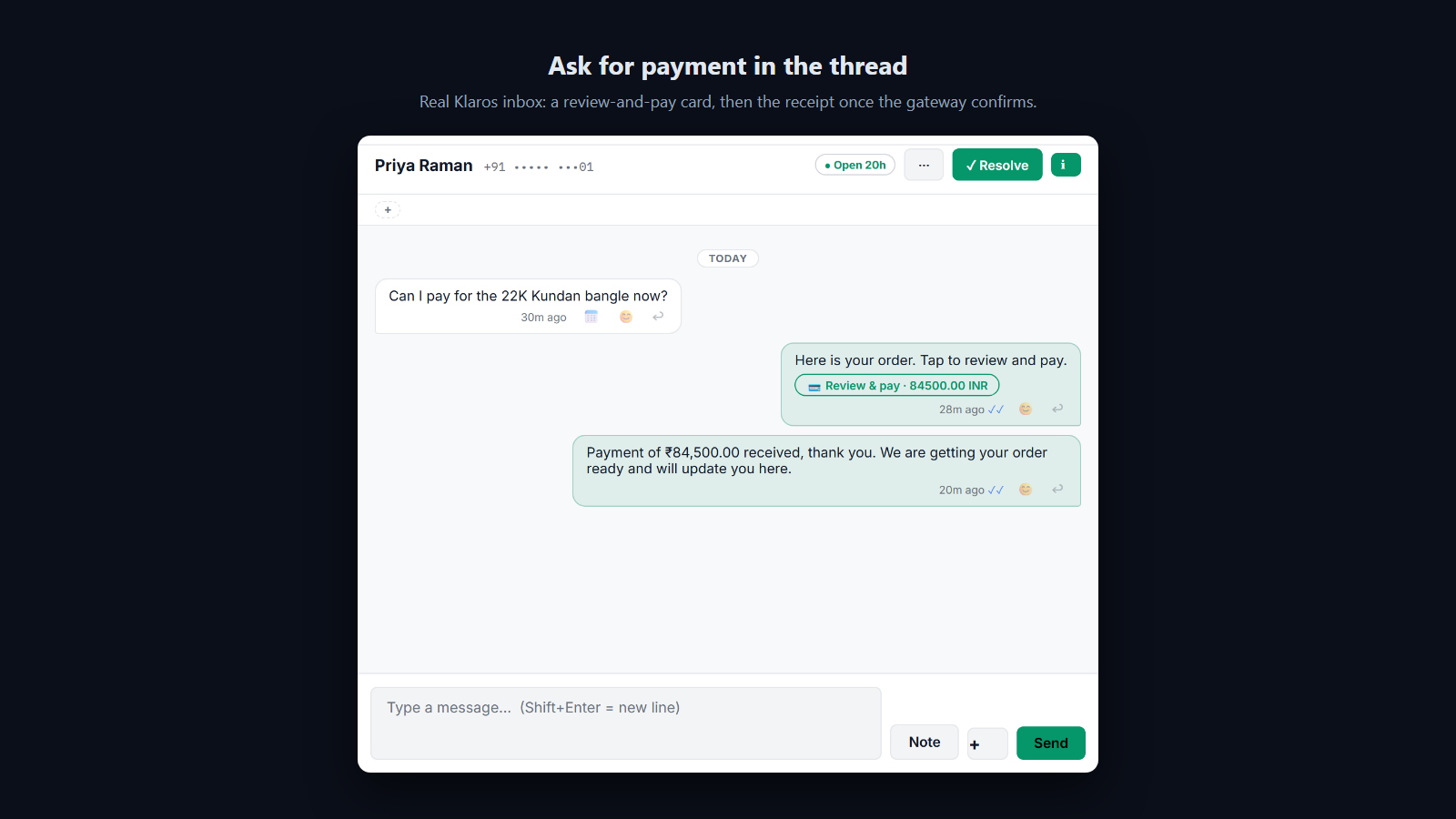
A payment request arrives as a card in the thread, and a paid order is confirmed back in the same thread.
Customers pay by UPI or transfer, and the team checks screenshots by hand.
The Problem
Customers send payment screenshots or transaction numbers. Someone opens the bank or the gateway dashboard, searches for the reference, confirms the credit and types back "Payment confirmed". Orders wait, and the checking never ends.
The Klaros Way
Klaros verifies your gateway's signed webhook, matches it to the order, marks it paid, sends the customer a receipt and alerts the shop owner. Failed and expired payments are recorded too, so the team sees exactly which orders need a follow-up.
Technical Differentiator: Signature-checked gateway webhooks drive one order state machine (requested, paid, fulfilled, failed, expired) with an append-only history.
Expected Impact: Nobody on the team reads a payment screenshot again.
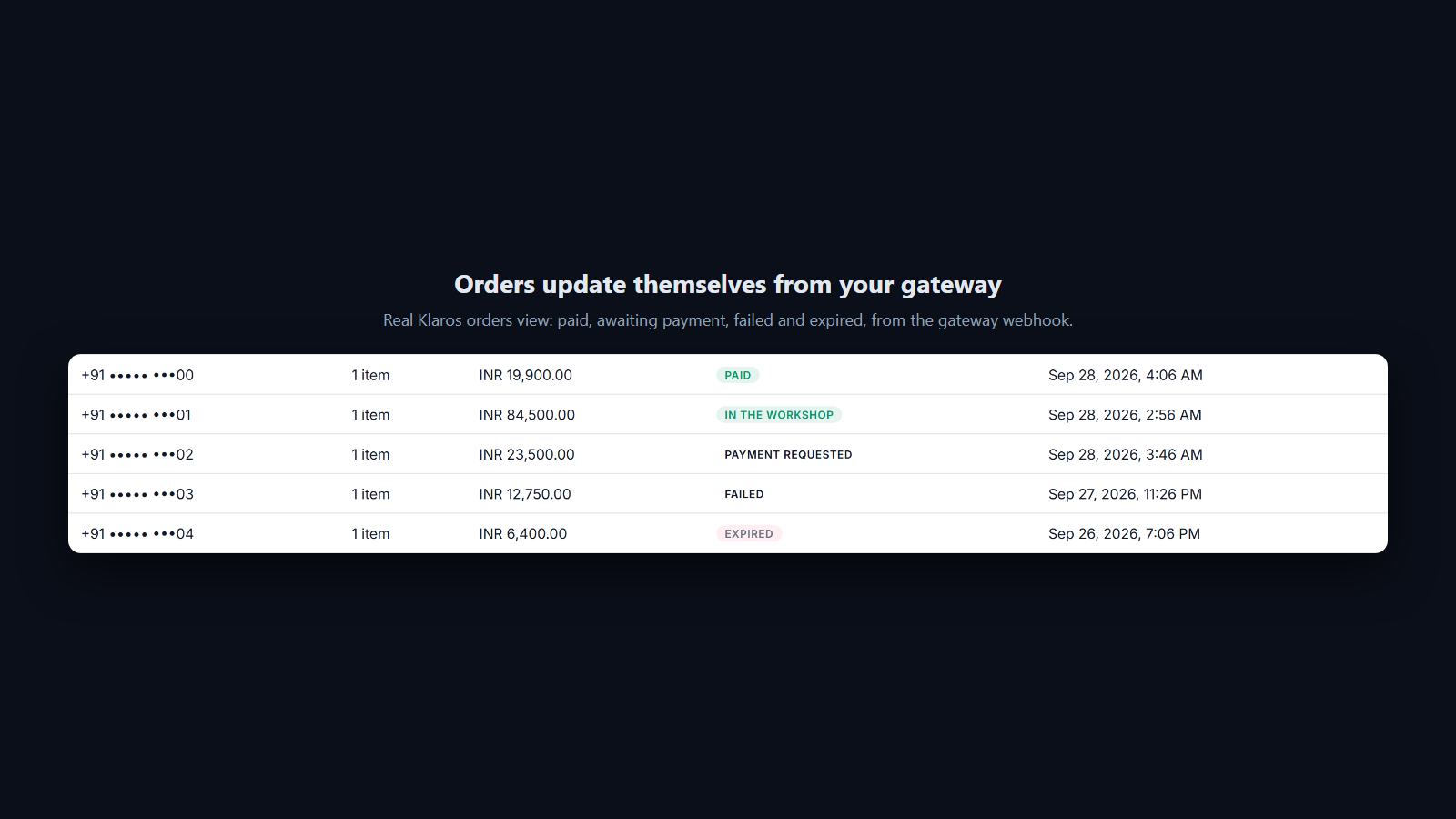
Paid, failed and expired payments update the order from the gateway webhook, not from a screenshot.
Sellers paying a share of every sale to their messaging platform.
The Problem
Some messaging platforms take a percentage of each transaction on top of the gateway's own fee. On $100,000 a month of WhatsApp sales, a 2% share is $24,000 a year.
The Klaros Way
Klaros never sits in the payment path. You connect your own gateway, customers pay you directly, and Klaros takes nothing from the sale.
Technical Differentiator: Bring-your-own-gateway checkout. The only fees are your gateway's and Meta's own messaging charges.
Expected Impact: The sale settles to your own account, less only your gateway's fee.
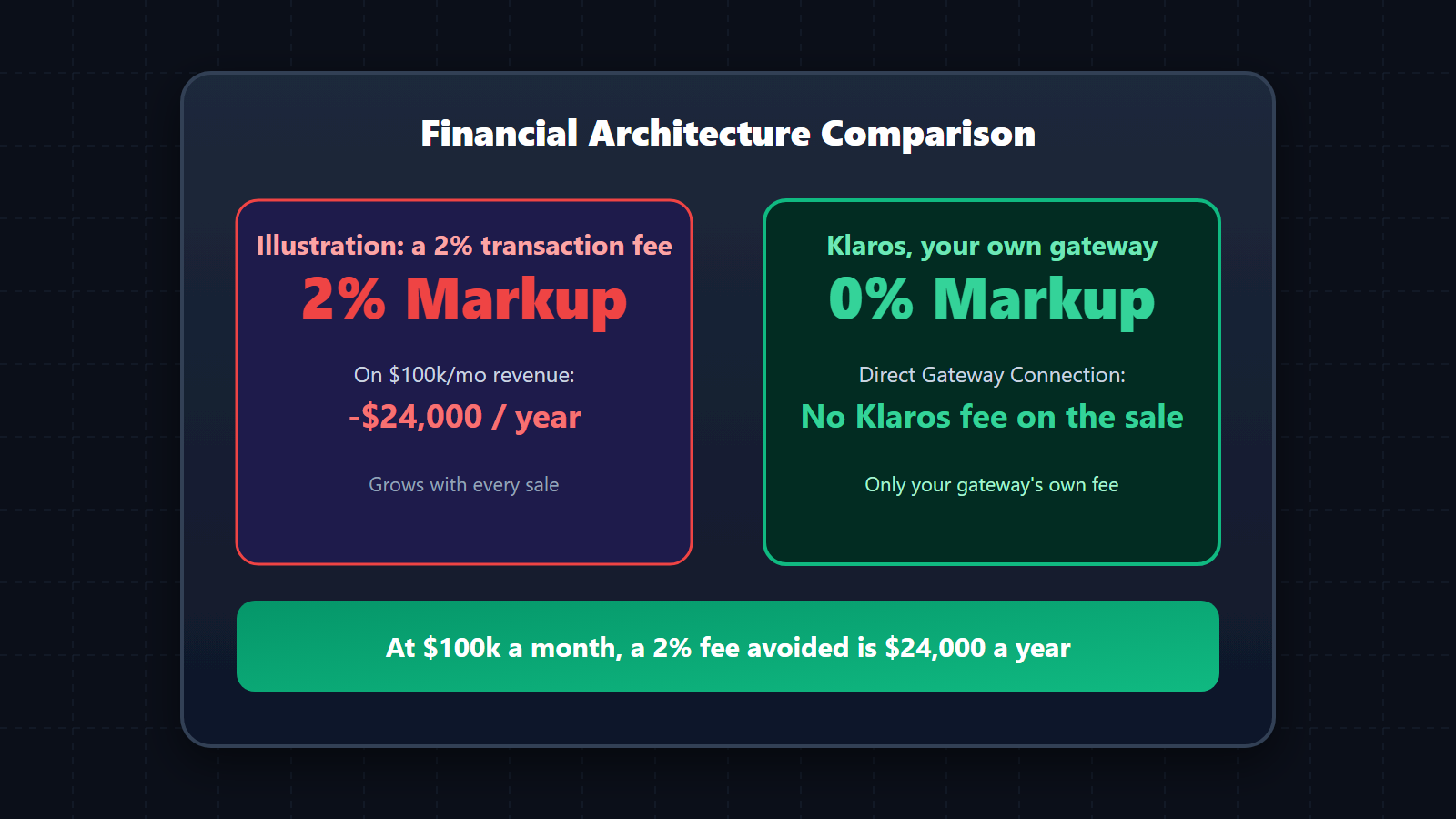
At $100,000 a month, avoiding a 2% transaction share keeps $24,000 a year.
How it works
- Request: an agent chooses Request payment in the inbox, or a sequence or a completed form asks for it.
- Guard: Klaros refuses a second request for the same order, and refuses to oversell stock already committed to open orders.
- Deliver: inside the 24-hour window the customer gets an interactive payment card; outside it, an approved payment template with a stable link.
- Pay: the customer pays through your gateway, by UPI, card or whatever your gateway offers.
- Reconcile: your gateway's signed webhook marks the order paid, failed or expired, and every step is written to the order's history.
- Tell: the customer gets a receipt in the thread and the shop owner gets a WhatsApp alert.
Boundaries and prerequisites
Requires
- Your own Razorpay account, or a payment link you already use
Works with
- Razorpay payment links
- WhatsApp review-and-pay (India, INR)
- Shopify (stock kept in step both ways)
Does not replace
- Your accounting ledger (Tally, QuickBooks)
When not to use it
- If every sale is cash on delivery and nothing ever needs a payment link.
Frequently Asked Questions
Do I need Meta Commerce Manager to request payments?
No. A payment request can use a Razorpay payment link from your own account, a link you already use, or in India the native WhatsApp review-and-pay card. None of them needs a Meta catalogue.
What happens if a payment fails or the link expires?
Your gateway reports it, and the order is marked failed or expired so your team can see it and ask again. A second request for an order that is already open is refused, so a customer is never asked twice by mistake.
How does automatic payment confirmation work?
When your gateway reports a payment, Klaros checks the webhook signature, matches it to the order, marks it paid, sends the customer a receipt in WhatsApp and alerts the shop owner. Every step is kept in the order's history.
Does it work with my Shopify store?
Yes. Shopify orders and stock changes reach Klaros, and a sale made on WhatsApp takes the item off your Shopify stock too. WooCommerce is not supported.
Do you take a markup on the WhatsApp infrastructure cost for this extension?
No. Klaros never sits in the payment or messaging path. You connect your own WhatsApp Business Account (WABA) and pay Meta directly. "Zero markup" is a structural guarantee.
Can I trial this extension before committing?
Every workspace starts with a 14-day free trial of the core CRM, and can see every extension and what it does. Switching an extension on is part of a paid plan: message us on WhatsApp and we will turn it on for you.
Where is my conversation data stored?
All data lives in your own isolated Cloudflare D1 database and R2 buckets. Klaros is self-deployed infrastructure, giving you total data sovereignty and zero vendor lock-in.