QR Codes & Public Pages
Printed QR codes that stay useful after they are printed: change where they lead, count every scan, and turn each one into a lead in your WhatsApp CRM.
Printed QR Codes That Stay Useful After They Are Printed
The problem today
A QR code on a flyer, a price tag or a business card is usually a dead end the day it is printed. When the offer, the product or the page changes, every copy already in the world points at the wrong place, nobody can say how often it was scanned, and the person who scanned it never reaches your CRM.
How Klaros solves it
Every Klaros QR code prints a short link on your own self-deployed domain and is looked up each time it is scanned. You can see how often each code is scanned, send it somewhere new, or retire it with a fallback, and the printed code never changes. Card and product codes open a page with a WhatsApp chat button and a contact form, and a lead left there lands in your CRM tagged with the card or product it came from.
See it working
A 40 s narrated walkthrough of QR Codes & Public Pages, made from real product screens. Phone numbers are masked.
Read the transcript
QR codes. Printed codes you can change.
Every printed code, its scans, and where it leads. Change the destination or retire it, without reprinting.
Your colour and your logo, ready to print as a poster or a sheet of stickers.
A business card code opens a page that saves your contact in one tap.
Klaros runs in your own Cloudflare account. Start with a 14-day trial of the core CRM at tryklaros.com.
Customer Situations
Printed codes go stale the moment the offer or the page changes.
The Problem
A shop prints 5,000 flyers for a festival sale. The sale ends, the landing page changes, and every flyer still in a drawer or on a notice board now sends people to an expired offer. Reprinting is the only fix, and nobody knows which flyers were ever scanned.
The Klaros Way
Each Klaros code resolves when it is scanned, so the owner points it at the next offer in seconds, or retires it and chooses where scanners should land instead. The dashboard lists every code with its scan count and when it was last scanned.
Technical Differentiator: A /q/ indirection on your own domain, with a repoint, retire and fallback lifecycle and a per-code scan counter.
Expected Impact: Print once, keep it working, and see which printed piece earns its keep.
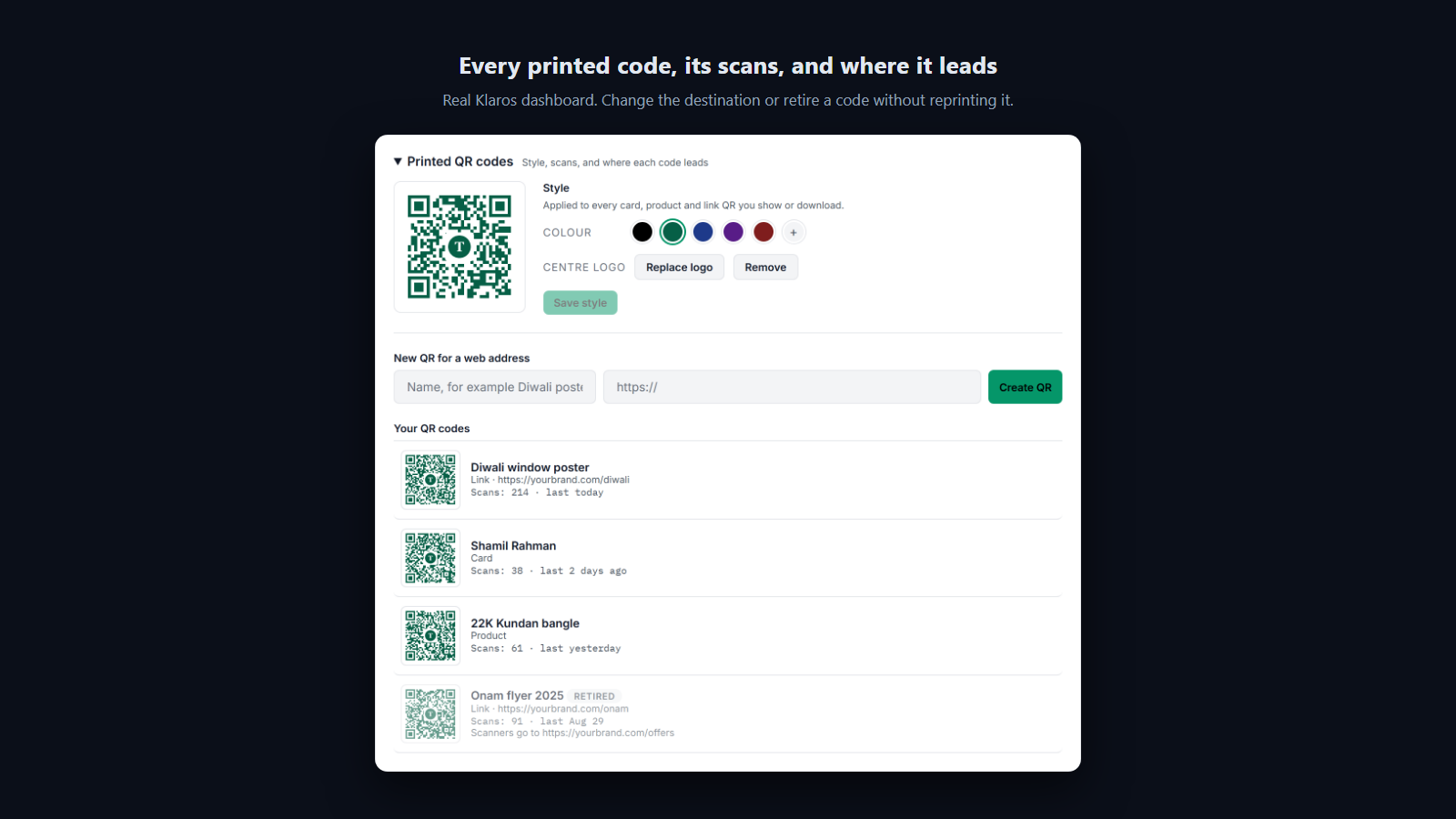
Every printed code is listed with its scan count and last scan, and can be sent somewhere new or retired without reprinting.
Paper business cards get lost, and the people who kept them never reach the CRM.
The Problem
A sales executive hands out 500 cards at a trade fair. Most are lost in pockets, the numbers are never saved, and the few who do get in touch arrive with no record of where they met.
The Klaros Way
A Klaros digital card opens from its QR code with Save contact, Chat on WhatsApp and a contact form. A person who leaves their number lands in the CRM tagged with that card, and the card shows its scans and leads.
Technical Differentiator: A vCard built on the card page, and lead capture that writes straight into the CRM contact graph with the card as its origin.
Expected Impact: Fewer lost contacts, and every networking lead traceable to the card that produced it.
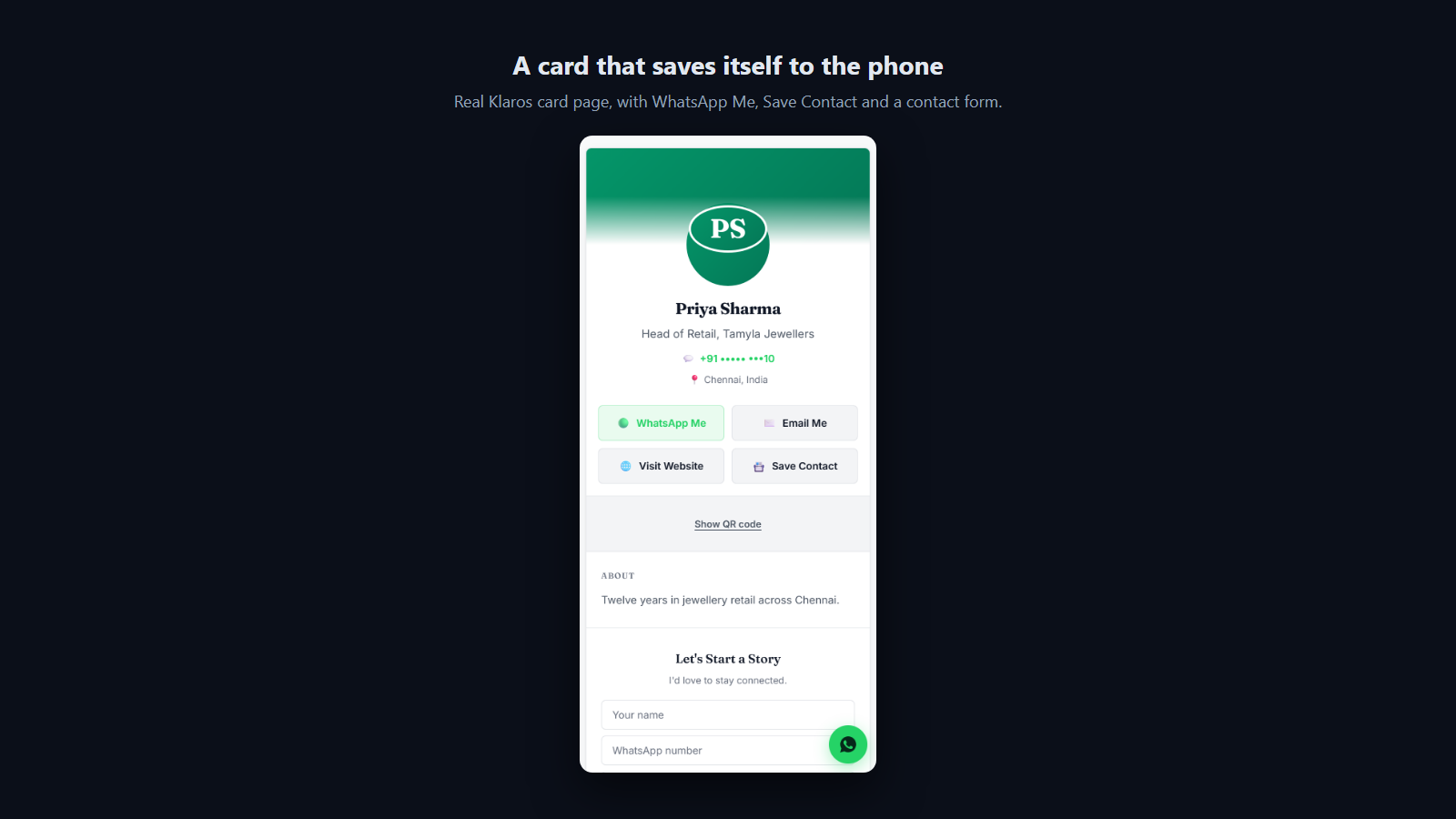
The card page saves your contact in one tap, and offers WhatsApp and a contact form.
Generic black-and-white codes look like an afterthought on premium print.
The Problem
A jeweller designs a beautiful counter card and then pastes a plain generated QR code on it. A designer adds a logo by hand, the code stops scanning, and the problem is found only after the print run.
The Klaros Way
Klaros draws every code in the brand colour with a centre logo, refuses colours too pale for a phone camera, and builds logo codes with the highest error correction so the logo does not cost a scan. Each code opens as a print-ready poster, a sheet of twelve stickers and a printing guide, or downloads as PNG or SVG.
Technical Differentiator: Error-correction level H whenever a logo is present, a contrast check before saving, and vector output named after your own card or product.
Expected Impact: On-brand print material that scans the first time, without a designer in the loop.
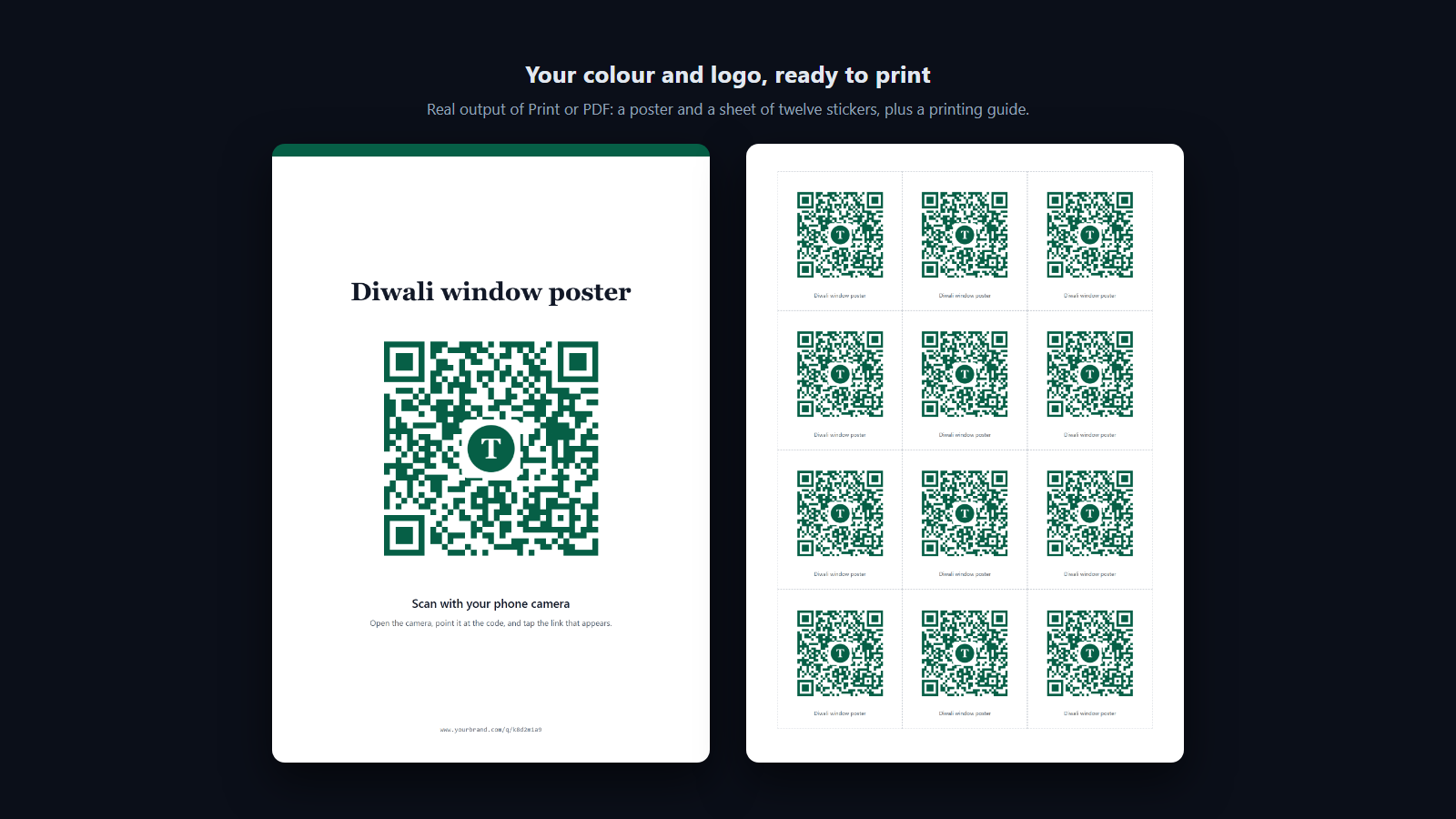
Codes carry your colour and logo and are built to keep scanning with the logo in place; each opens as a print-ready poster, sticker sheet and printing guide.
How it works
- Create: open a card or a product and choose QR, or create a code for any web address.
- Style and print: every code carries your colour and centre logo. Download a PNG or a vector SVG, or open a print-ready poster, sticker sheet and printing guide to print or save as PDF.
- Scan: the phone camera opens a short /q/ link on your domain, which is looked up at that moment and sent to the current destination.
- Capture: card and product pages offer Chat on WhatsApp, Save contact and a contact form. A lead lands in your CRM tagged with the card or product, and the scan is counted.
- Manage: see scans, rename a code, change where it leads, or retire it with a fallback, from the dashboard, the API or an AI assistant over MCP.
Boundaries and prerequisites
Requires
- A Klaros workspace. Business-card QR codes and QR styling come with every workspace; product codes and codes for any web address need this extension.
Works with
- Flyers and posters
- Price tags and packaging
- Digital business cards
- Event signage
Does not replace
- Meta's own WhatsApp chat-link QR codes, which Klaros also manages under Connections
- A full website builder
When not to use it
- If nothing you hand out or print ever needs to lead customers anywhere.
Frequently Asked Questions
Are the QR codes static or dynamic?
Dynamic. The printed image holds a short link on your own domain that is looked up every time it is scanned, so you can change where it leads, retire it, or set a fallback without reprinting. Every scan is counted.
Can the QR codes carry my brand?
Yes, and it is included with every workspace. Set a colour and a centre logo once and every code you show or download uses them. Colours too pale for a phone camera are refused, and codes with a logo use the highest error correction so they keep scanning.
How do I print them?
Download a print-resolution PNG or a vector SVG for your print shop, or choose Print or PDF for a ready poster, a sheet of twelve stickers with cut guides, and a one-page printing guide with sizes by scanning distance.
What happens to a printed code when its card or product is removed?
It goes wherever you set as its fallback. With no fallback, the person scanning sees a short, neutral page saying the code is no longer active. It never sends your customers to us.
How does attribution work for print materials?
Each code counts its own scans. A lead left on a card or product page lands in your CRM tagged with that card or product. For a code that points at a web address, put your own UTM tags in the address and your analytics sees them.
Can an AI assistant or another system manage QR codes?
Yes. /api/v1/qr-codes lists, creates and updates codes, and the Klaros MCP server gives an assistant list_qr_codes, create_qr_code and update_qr_code.
Do you take a markup on the WhatsApp infrastructure cost for this extension?
No. Klaros never sits in the payment or messaging path. You connect your own WhatsApp Business Account (WABA) and pay Meta directly. "Zero markup" is a structural guarantee.
Can I trial this extension before committing?
Every workspace starts with a 14-day free trial of the core CRM, and can see every extension and what it does. Switching an extension on is part of a paid plan: message us on WhatsApp and we will turn it on for you.
Where is my conversation data stored?
All data lives in your own isolated Cloudflare D1 database and R2 buckets. Klaros is self-deployed infrastructure, giving you total data sovereignty and zero vendor lock-in.